Player guides
Wildlife Reserves
Learn how to establish and support Wildlife Reserves in Planet Zoo 2.
Wildlife Reserves are sprawling, natural environments where you can transfer Release Groups of animals, once you've made the conditions right for them.
You'll need to use all your available tools to help re-establish large-scale animal Ecosystems within Wildlife Reserves.
Each Wildlife Reserve has a Biodiversity Rating, measuring how successfully you have managed and configured your Reserve.
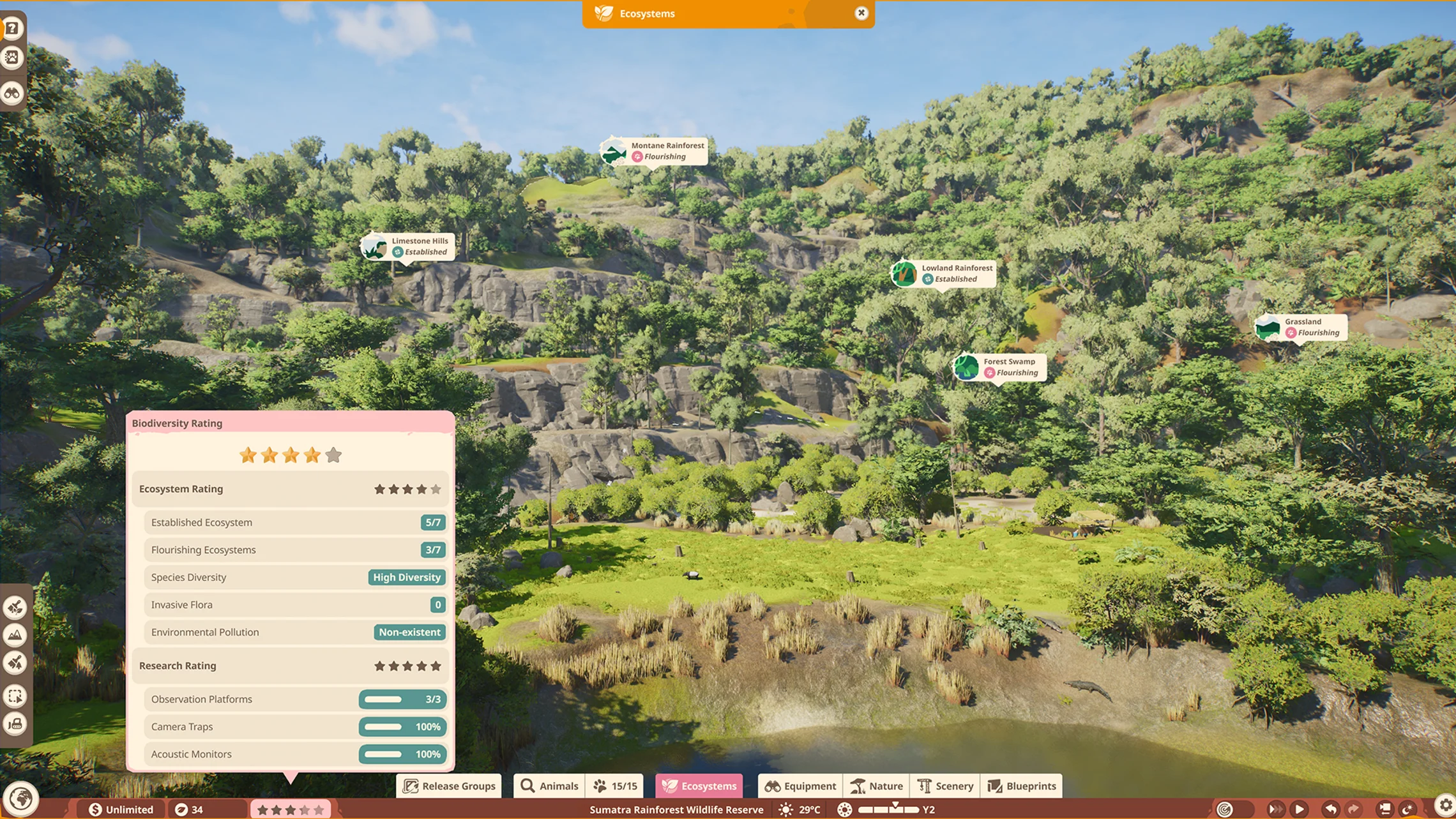
This Biodiversity Rating is made up of 2 different categories: Ecosystem Rating and Research Rating.
Ecosystem Rating measures the progress of your restoration of the Wildlife Reserve. You can improve your Ecosystem Rating by creating Established and Flourishing Ecosystems, removing Environmental Pollution and Invasive Flora, and increasing Species Diversity by releasing more suitable species.
Research Rating measures your Wildlife Reserve’s capabilities to monitor and Research the wild animals you release. Research Rating can be improved by setting up a network of Observation Platforms, Camera Traps and Acoustic Monitors throughout your Wildlife Reserve.
Ecosystems are areas you designate and configure to make your Wildlife Reserves ready for your animals.
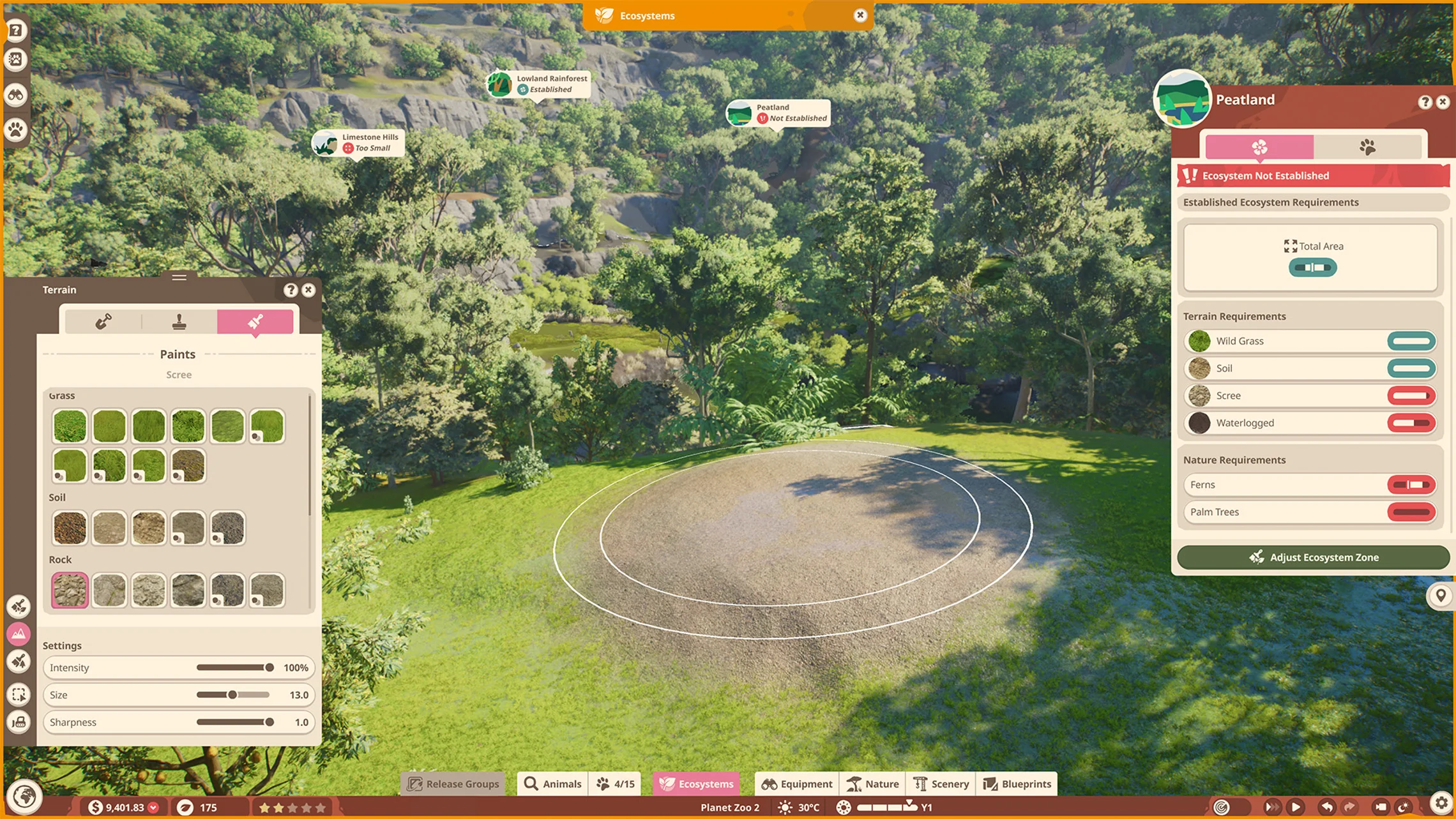
Each type of Ecosystem requires a different combination of terrain and plants. When these requirements are met, the Ecosystem moves from Invalid to Established.
Creating an Ecosystem
To create an Ecosystem, first select the Ecosystem Brush, then choose your desired Ecosystem Type and start painting down the area. Consider the Ecosystem's Area Requirements when assigning the right amount of space.
Once the Ecosystem area is designated, you can start to meet its listed Terrain and Nature requirements. These must be met for the Ecosystem to become Established. Some Ecosystems also need to include the right amount of water, and highland or lowland areas.
Ecosystem Requirements
Ecosystems become Established when their Area, Terrain and Nature Requirements are met.
You have a few tools available to help you do this:
- Use Terrain Sculpting to alter the height and water levels within the Ecosystem.
- Use Terrain Paints to adjust the terrain within the Ecosystem.
- Use Nature Objects with the Ecosystem specified Foliage Type to meet its Nature Requirements.
Selecting the Nature Requirement will filter your browser, showing only objects the Ecosystem needs.
Remember to use the Nature Brush to cover large areas quickly!
Ecosystem Flourishing
Some Ecosystems can become Flourishing, which is required for certain Release Groups and benefits the Ecosystem Rating of the Wildlife Reserve.
Ecosystems can only become Flourishing after they are Established and require animals that provide the right Ecosystem Roles to establish Ecosystem relationships and enrich the area.
Each Release Group will list the Ecosystem Roles it provides, so check these against the requirements for the Ecosystem you're creating. Once all the Ecosystem Roles have been filled the Ecosystem will begin Flourishing.
Environmental Pollution
Environmental pollution measures the number of pollutant objects in your Wildlife Reserve that are negatively impacting the environment.
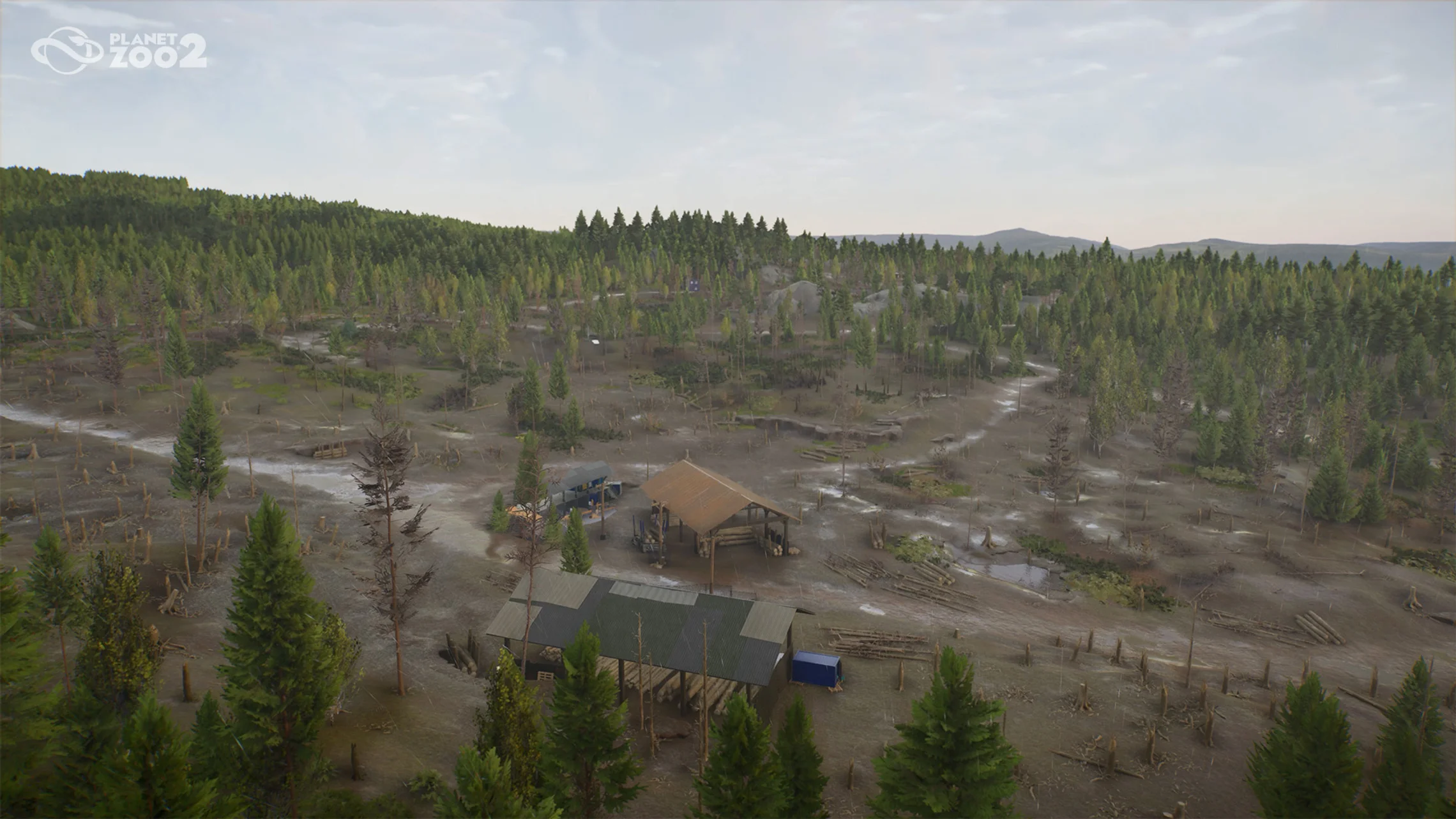
Pollution affects your Reserve's Ecosystem Rating, which contributes to the overall Biodiversity Rating.
Be sure to clean your Wildlife Reserve and remove all sources of pollution using the Demolish Brush.
Invasive Flora
Invasive Flora measures the number of invasive plant species present in your Wildlife Reserve. These are plants that are not native to your Reserve's location, and harm the local environment.
Aim to remove all Invasive Flora in your Wildlife Reserve with the Demolish Brush.
Wildlife Reserves are not only a home for animals, but an important source of research for your conservation network.
Setting up Research Networks in Wildlife Reserves will open Research Gates and unlock higher levels of Species Research.
Correctly established Research networks also increase Biodiversity Rating.
To establish a Research Network, you'll need to build and place equipment around the Wildlife Reserve.
Research Outposts
Research Outposts are the scientific heart of your Wildlife Reserve.
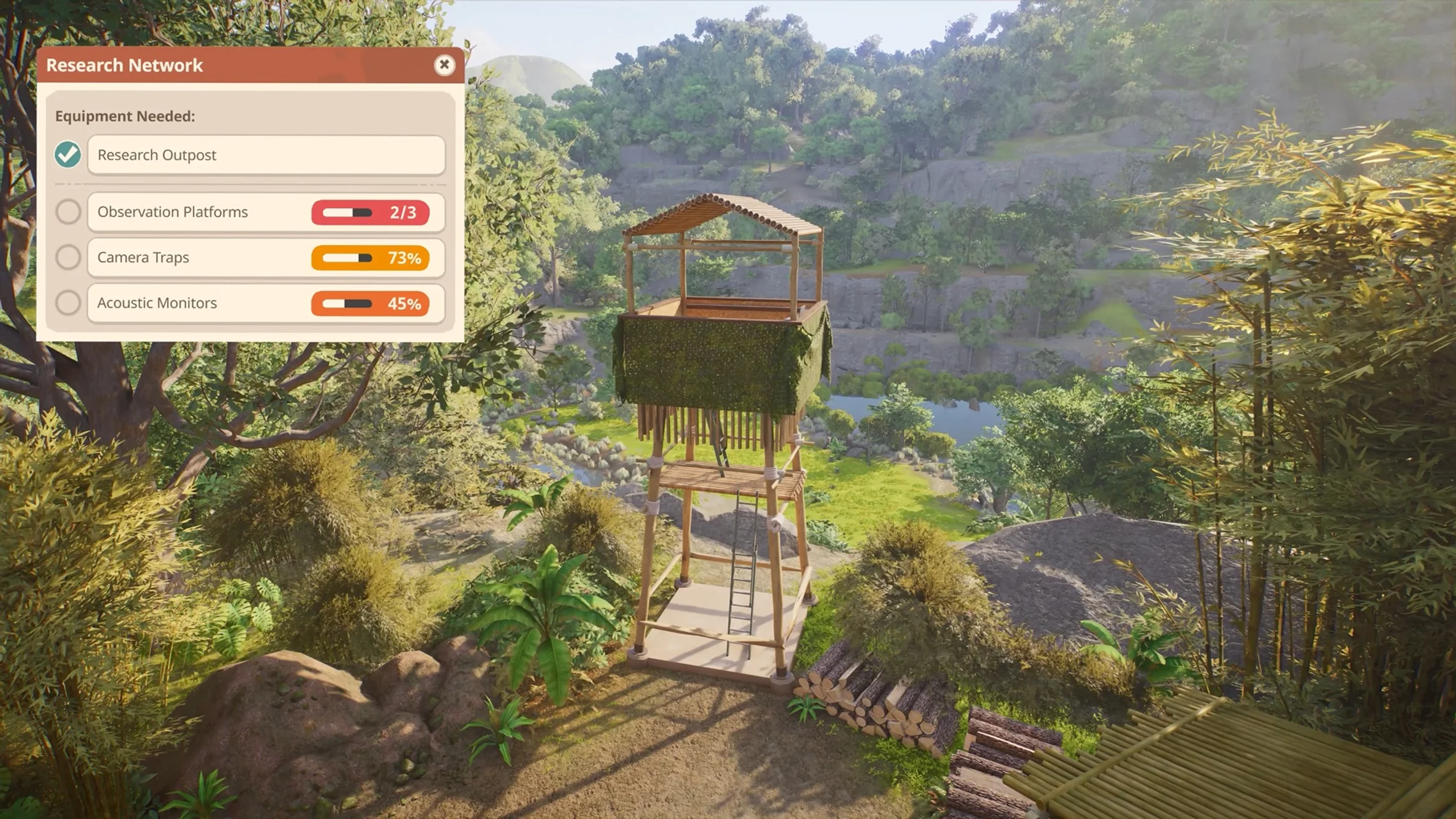
Observation Platforms can be placed throughout your Wildlife Reserve to make a Network.
Ensure their coverage does not overlap to keep the impact on animals to an minimum.
Acoustic Monitors
Acoustic Monitors discretely pick-up audio from animals in the Wildlife Reserve.
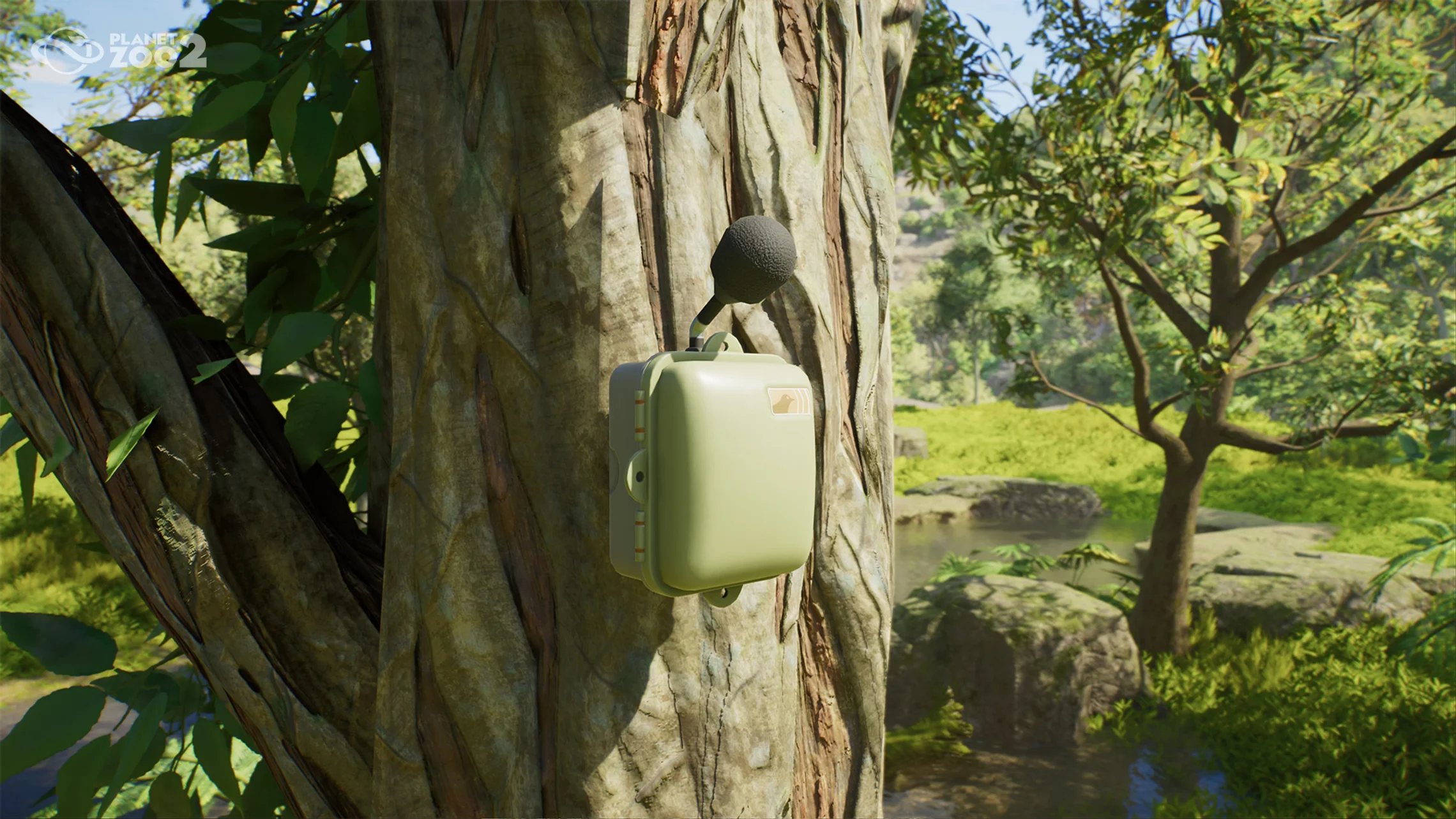
Place Acoustic Monitors throughout your Wildlife Reserve to monitor wild animal behaviour and create an Acoustic Monitoring Network.
To make sure your Acoustic Monitoring Network is valid, check your Monitors get enough Ecosystem coverage for Researchers to capture and study the sounds of the wild.
Camera Traps
Camera Traps snap pictures of animals passing through their range.
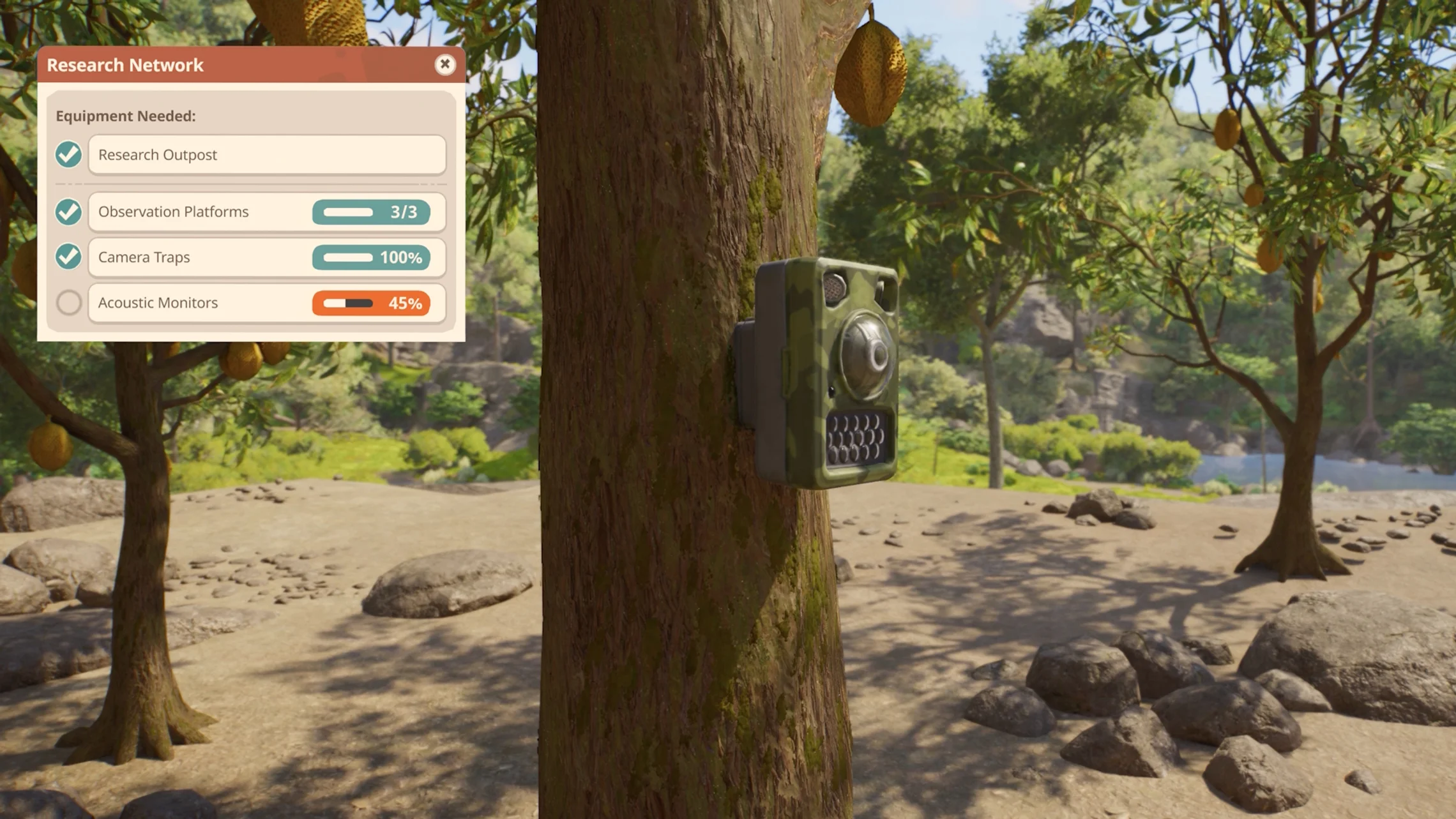
Place Camera Traps throughout your Wildlife Reserve to monitor wild animal behaviour and create a Camera Trap Network.
To make sure your Camera Trap Network is valid, check that each Camera Trap you place in your Wildlife Reserve captures the specified number of Animal behaviours, like grazing and foraging.
Make use of trees and other environmental objects to strategically place Camera Traps.
Animals in Wildlife Reserves function differently to those in zoos.
Once released they will not require the same amount of ongoing management as their zoo counterparts.
Nor will you have the same level of control over these wild Animals. Wildlife Reserves are there for these animals to live out their lives naturally, so it's your job to support them with as little direct influence as possible.
Release Groups
Before animals can be released into Wildlife Reserves, they need to be assigned to a Release Group.
A Release Group is a group of suitable animals from the same species that are prepared for release. Release Groups can only accept animals already in Animal Storage. Animals that meet the requirements can then be selected and the Release Group finalised.
Once finalised, animals are ready for release and sent to acclimatisation, at which point they cannot return to the zoo.
Creating Release Groups
To create a Release Group for a specific species you may have to Research that animal in a zoo to unlock its Release Group options.
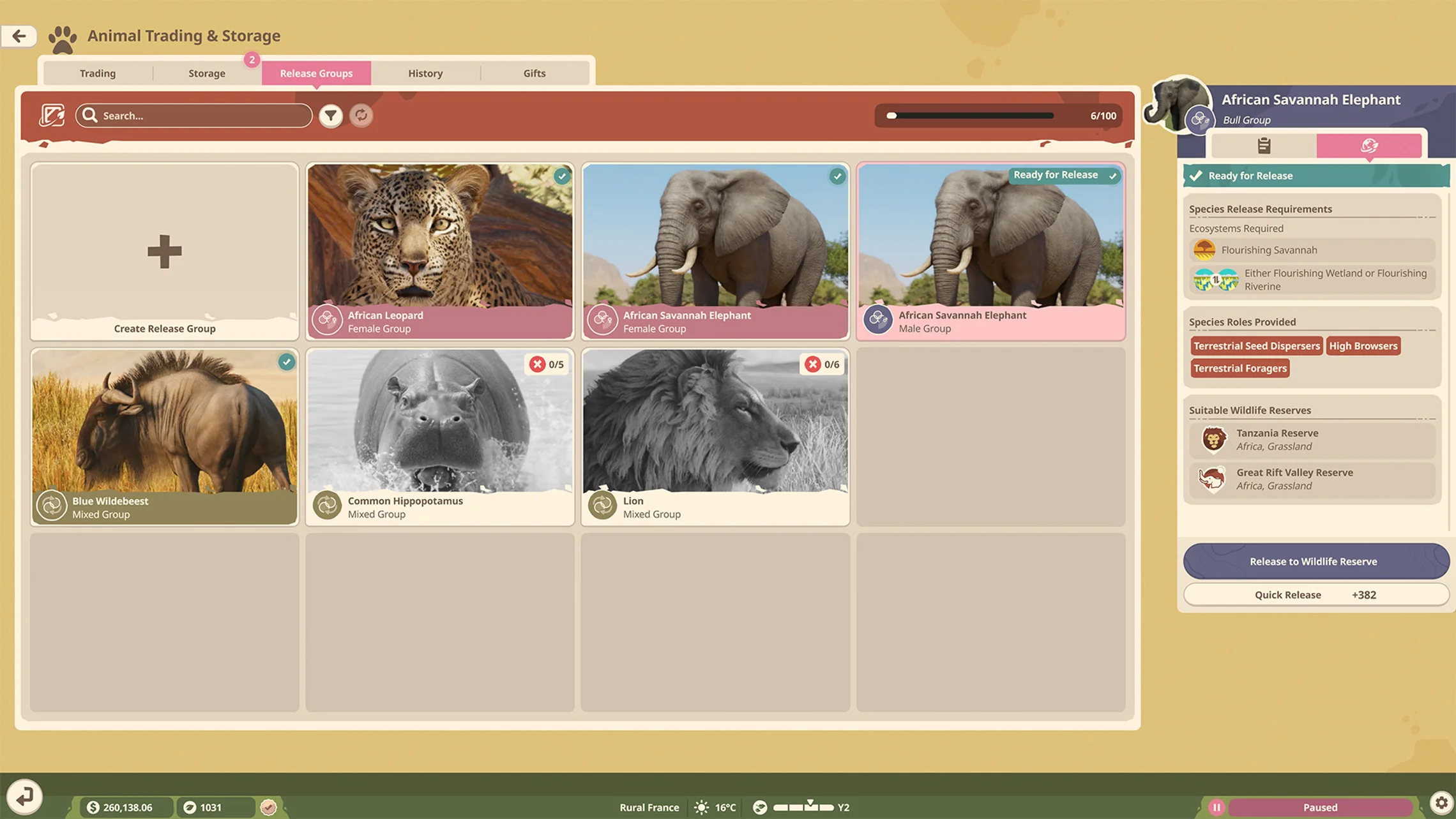
Release Groups are empty when created: you can select suitable animals from Storage to see if they meet the Group Requirements.
Animals held in Animal Storage can be added to a Release Group. Once finalised, the group will begin acclimatisation and you can no longer bring those animals back into your zoo.
How To Release Animals to Wildlife Reserves
Animals from your zoo can be released into Wildlife Reserves through Release Groups. To create a new release group:
- Select the Release Groups tab while in the Wildlife Reserve. Note that you'll need to place a Research Outpost first. Alternatively select the Animal Trading & Storage tab while in your zoo and navigate to the Release Groups screen.
- Select Create Release Group.
- Choose from the available list of species. You may need to conduct Research to unlock a specific species.
- Choose the Group Type. This is the number and composition of animals you'll be releasing.
- Select Create.
- Your Release Group will now appear in the list.
- Select the Release Group and select Edit Group Members to add or remove specific animals to the group.
- You can now choose from the appropriate animals currently in storage, moving them in or out of the Release Group as needed to meet the Release Group Requirements.
- Once done editing, select Finalise Release Group. Note that this cannot be undone.
- You will now have the option to either Release to Wildlife Reserve or Quick Release for immediate Conservation Credits.
- Select Release to Wildlife Reserve to release the animal.
- If you are currently in a zoo, you will be presented with the Planet Hub and available suitable Wildlife Reserves. Make your selection and press Travel to Wildlife Reserve.
- Select an appropriate Established Ecosystem for the species to meet their requirements.
- Select Release to Wildlife Reserve.
- The Release Group will be released to live their lives in their natural Habitat and you will receive Conservation Credits for a successful release.
Species Diversity
Species Diversity measures the number of different animal species you have released into your Wildlife Reserve.
Diversity affects your Reserve's Ecosystem Rating, which contributes to the overall Biodiversity Rating.
The more interspecific animals in your Wildlife Reserve, the higher your Species Diversity will be.
There are a few different ways you can explore and interact with Wildlife Reserves in Planet Zoo 2.
Research Vehicle
You can use the Research Vehicle to travel quickly around Wildlife Reserves.
All expeditions start at the Research Outpost. It acts as your base of operations for all activities and resetting the vehicle will take you back here.
Use the Compass to direct yourself towards groups of animals currently in the reserve.
On Foot Mode
Get up close and personal with the flora and fauna in your Wildlife Reserve in On Foot Mode.
Select the Research Outpost to go on Foot, or drive the Research Vehicle.
Take caution when approaching animals to be sure you don't scare any away!
Photo Camera
When exploring the Wildlife Reserve, enter the Photo Camera and take photos of animals and Scenery. Find shortcuts and inputs for the Photo Camera in our Controls guide.
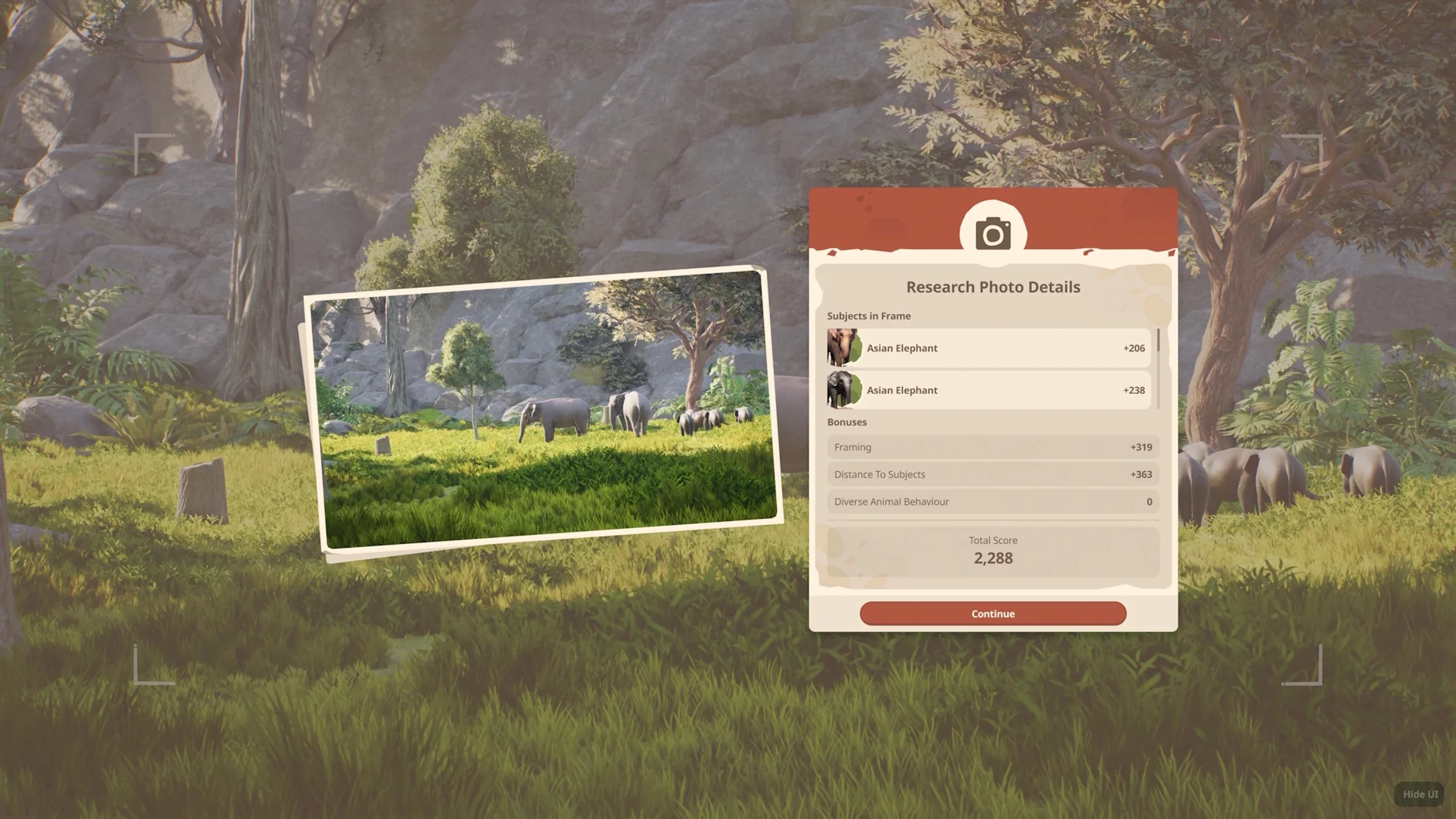
Photos containing animals will receive a score based on the animals in the image, their framing, their distance from the camera, and the behaviours on display.
Some animals will flee if they hear the Research Vehicle coming. To take high-scoring photos of these species, exercise caution and slowly approach on foot.