Player guides
Tips & Tricks
We've put together some of our best tips and tricks for Planet Zoo 2.
Whether you're looking to get the most out of your tools, need a quick shortcut or you're just looking for some advice, here's the most asked about topics from across the community.
Let's get into it!
Whether you're a long time Planet Zoo fan or Planet Zoo 2 is your first experience, there are a few things that are useful to know before you get into the finer details of the game.
Check out our welcome video to learn everything you need to know before getting started as a Zookeeper.
Still have questions? Have a read of our Guides and check out the handy 'How To...' search bar to quickly navigate to helpful instructions.
There are three different ways to play in Planet Zoo 2: Career Mode, Franchise Mode and Sandbox Mode. Each of these modes is suited to a different kind of player and will give you a slightly varied experience of Planet Zoo 2.
Career Mode
Ideal for newcomers to the Planet Zoo franchise! Make your way through challenging scenarios as FEN'S newest Conservation Coordinator.
Career Mode also teaches you how to use the features and tools that will help you run functioning zoos and rebuild thriving Wildlife Reserves.
Franchise Mode
Build an international network of interconnected zoos and Wildlife Reserves, using the online trading centre to buy and sell animals with other players for cash or Conservation Credits.
In Franchise Mode, your actions will also contribute to Community Challenges.
Sandbox Mode
Sandbox Mode is perfect for players who want more control over how they design and build their zoos with unlimited resources and less restrictions!
This mode allows you to decide the level of simulation and challenge by editing the settings before you get started. For master builders and newcomers alike!
In Planet Zoo 2 your Accreditation Tier can unlock bigger and better things for your Zoos!
Accreditation Tiers are achieved by completing specific goals and help you move forward by unlocking more animals in Trading, improving your marketing and even increasing your animal storage capacity.
How you achieve a higher Accreditation Tier differs slightly in each game mode.
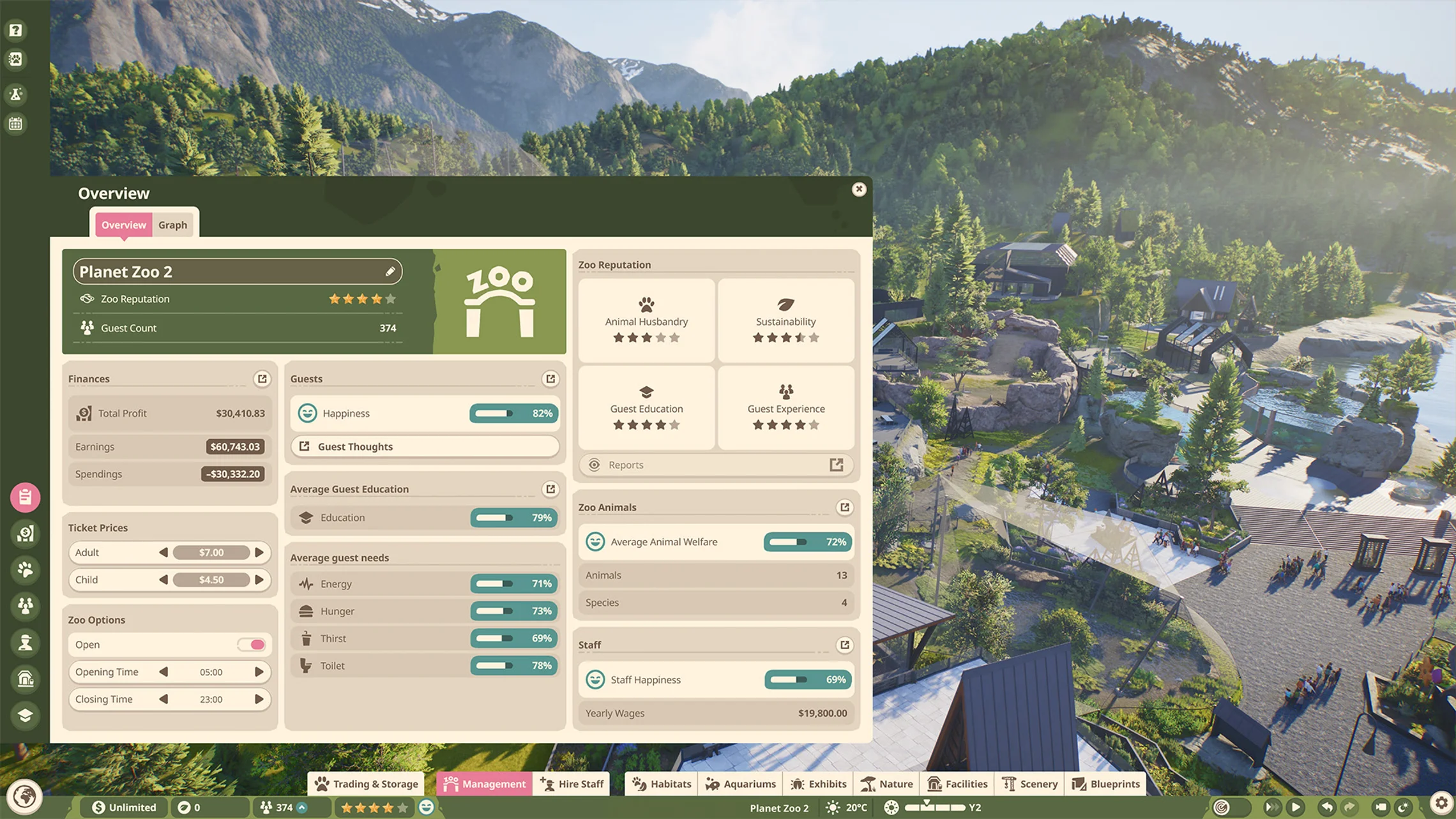
In Career Mode, you'll unlock higher tiers by gaining medals from scenario zoos and Wildlife Reserves.
In Franchise and Sandbox Mode, you can increase your Accreditation Tier by having zoos with a high Zoo Reputation, and Wildlife Reserves with a high Biodiversity Rating.
In Sandbox Mode you can also configure your settings so all animals are unlocked automatically.
Have a read of the Zoo Management guide to learn more about Zoo Reputation!
In Planet Zoo 2, edge scrolling is not turned on by default.
To turn edge scrolling on head to Settings > Keyboard and Mouse, then select Edge Scrolling. Here you can also adjust the speed of edge scrolling movement.
For console players, this will be in Settings > Camera Behaviour.
The Essentials Filter in Planet Zoo 2 is a browser option which will show only the items that are necessary for gameplay and for you to run a functioning zoo!
The filter only applies to Facilities and Habitats and will show functional Blueprints of all the buildings you'll need for staff and animal care in the zoo, as well as the necessary items for building habitats and improving your Zoo Rating.
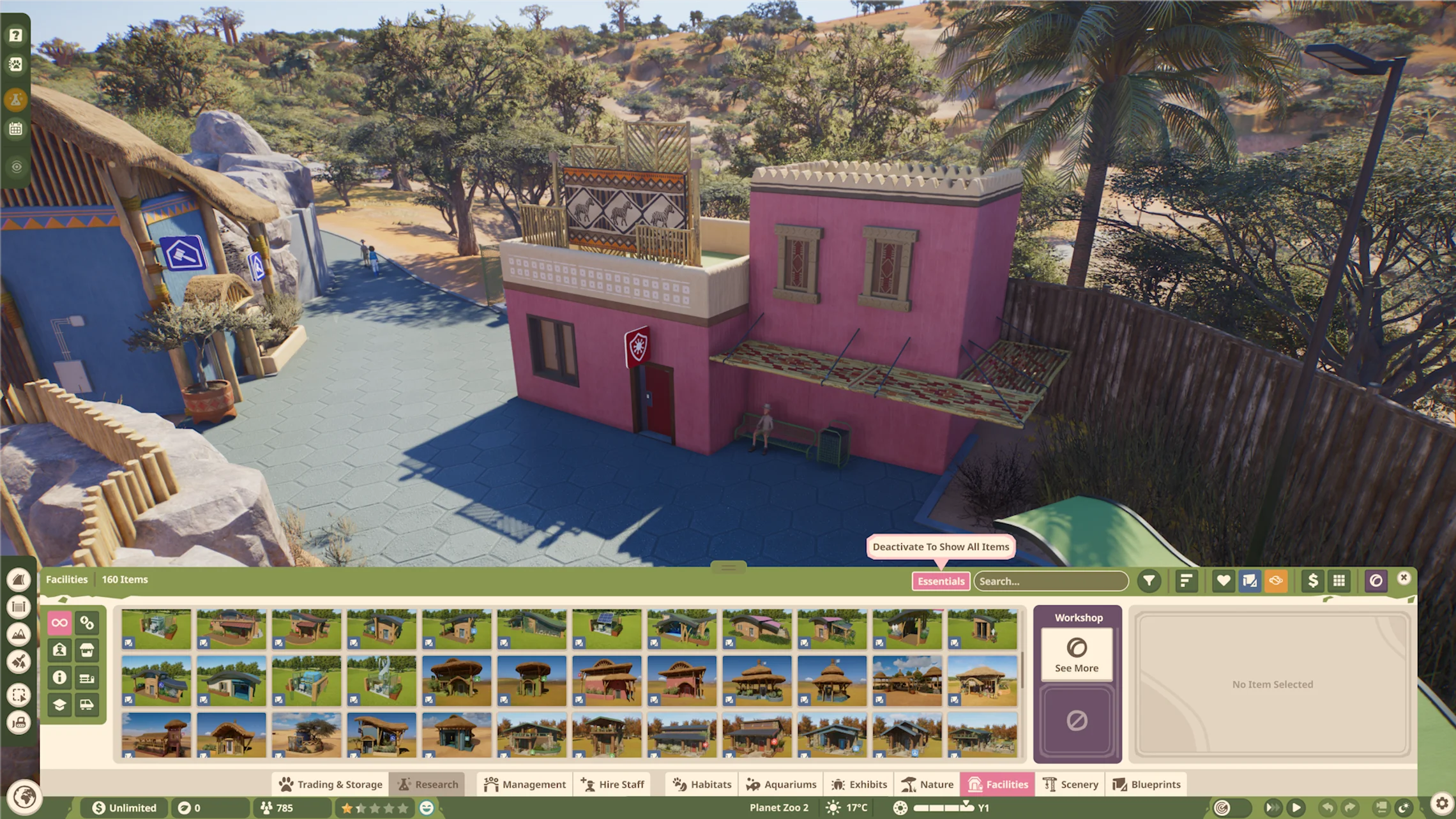
When starting Planet Zoo 2 for the first time you'll be asked to pick from three options: New to Planet Zoo, Returning Planet Zoo Player and Planet Zoo Expert.
If you select either 'New to Planet Zoo' or 'Returning Planet Zoo Player', by default the Essentials filter will be switched on when you access any mode in game.
To switch it Off, simply select the button in the browser and ensure it is deactivated.
To switch it On, select the 'Essentials' button and any items that are not essential to gameplay should disappear from the browser.
Paths are integral to your zoos, otherwise how would your guests and staff get around to explore everything on offer!
With a range of pathing tools at your disposal you can build freeform paths to connect areas of your zoo to one another, including raised walkways and bustling plazas.
Get all the details about Planet Zoo 2's pathing tools in our Building Your Zoo guide.
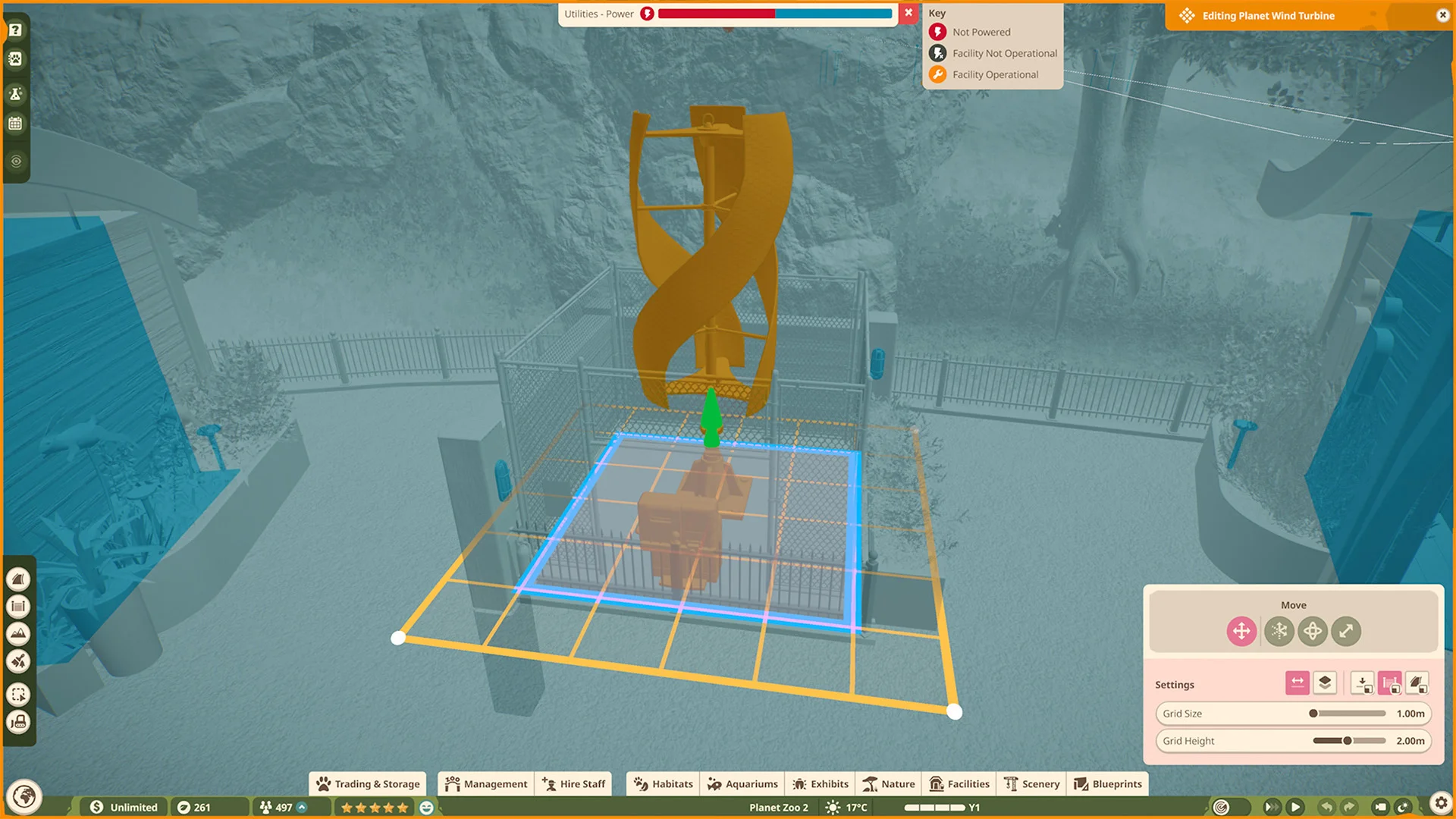
If you're looking for even more adjustable options for your pathing, try switching On Advanced Mode. This gives you more ways to customise and build your paths, including:
- Length Snap
- Working Height
- Height Snap
- Pointed Corners
- Cut through existing path
- Use T-Junction when joining paths
And also includes more customisation tools:
- Corner Radius Editor - allows you to paint over an existing path to update its corner radius.
- Edit Widgets - allows you to select an existing boarder to adjust its position and height.
Aquariums are one of our brand new habitat types in Planet Zoo 2, alongside aviaries.
Building an aquarium is simple and easy. Check out our quick build video!
If you need more details about building, designing and maintaining aquariums for the all-new fully aquatic species in Planet Zoo 2, have a read of our Aquariums guide.
Building bespoke habitats for your animals takes time! Make sure you know exactly what they need before you spend hours perfecting a space that leaves them wanting more.
Pinning an Animal's needs to their Habitat saves you a lot of time and effort.
Simply select the habitat you have built, navigate to the 'Animals' tab in the Info Panel and select Pin Species.
Now you'll be able to choose from a number of suitable animals for that habitat type. Choose your species, select + Add to Selection and then Confirm Selection.
You will now be able to view the animals' collective requirements for building the perfect habitat!
Creating a water filtration network in your zoo is important for providing bodies of drinking water and keeping your aquariums clean.
For a detailed guide of how to build a filtration network read our Building Your Zoo guide.
Are your staff running around all over the place? Are some animal's needs being met but not others?
You might need to set up Work Zones!
Work zones are a collection of Facilities that you can assign to Staff members to limit where they will work, improving their efficiency and keeping their workload under control.
You can create a Work Zone from Management > Staff > Work Zones.
Instead of walking back and forth from one end of your zoo to another, staff will stay in the zone you've assigned them to, rather than running to the next available task.
Once created, you can assign Staff in the same panel, or from the Employment tab in a Staff member's Info Panel.
For more information about the kinds of staff in your zoos and how to manage them, check out our Staff guide.
Check out the Planet Zoo 2 Guides
Thank you for your ongoing support of Planet Zoo 2. We hope these tips and tricks can be helpful as you build a wilder world! For more information about all the features, tools and more in the game, have a read of our in-depth guides.
Check out the highlighted area of the Workshop to find some of our favourite builds so far, share your best photos on social media, and join our Discord to chat with other Zookeepers around the world.